
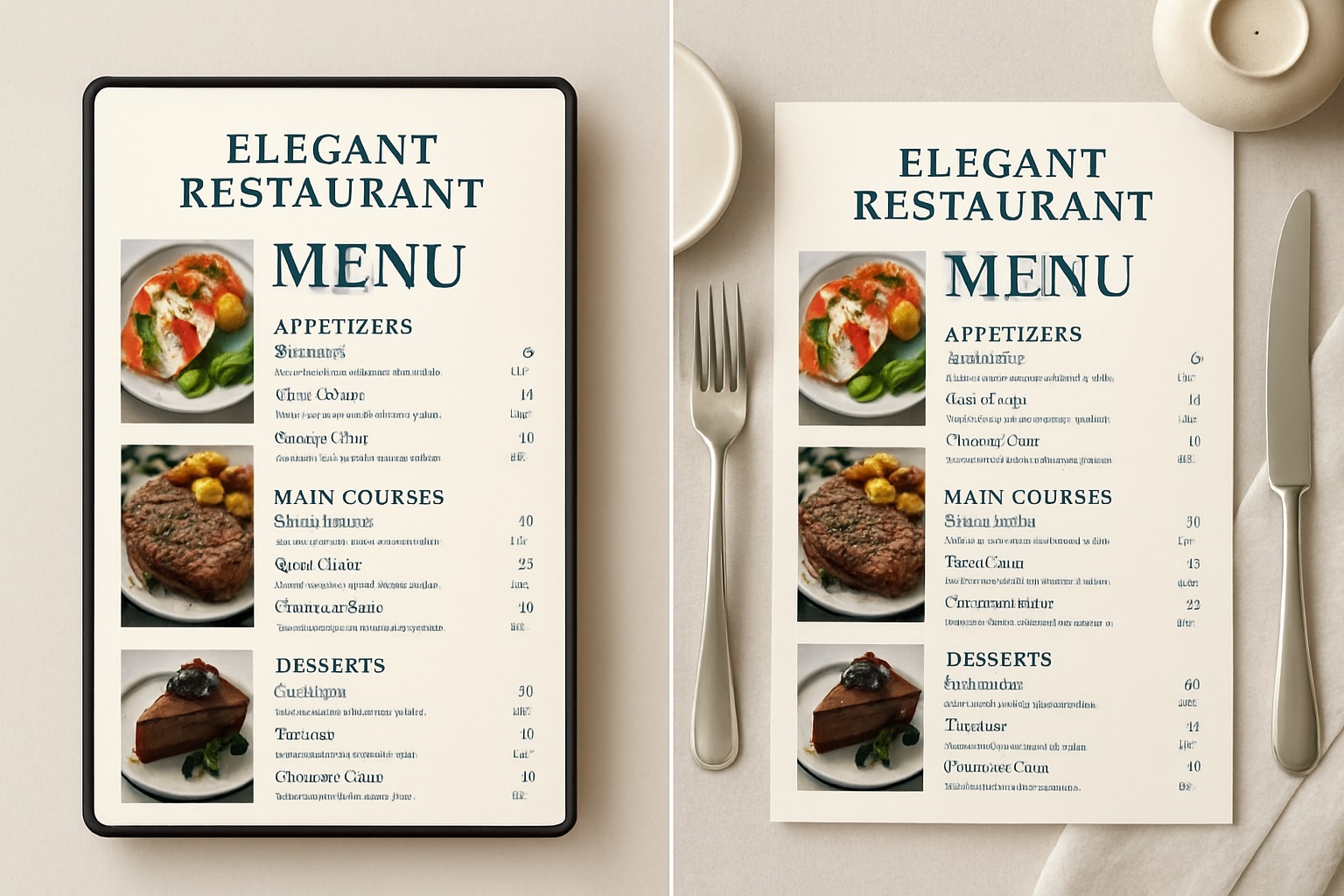
A menu does more than tell customers what’s available. It can tempt someone to try your signature burger, help them discover a new coffee, or convince them to order dessert. If the design is cluttered or hard to read, though, people may miss some of your best items.
You don’t have to hire a designer every time you change your menu. Online tools let you build a layout, add food photos, and update prices yourself. Some also help you create digital menus that are easier to change when you add new dishes or run out of ingredients.
Here are five tools that can help, depending on whether you’re designing a menu from scratch or looking for an easier way to manage it.
Which online menu makers are worth trying?
1. PosterMyWall
PosterMyWall is worth considering if you want your menu to do more than list dishes. Along with menu templates, it offers design and marketing tools that help restaurants promote their food, announce specials, and keep customers informed.
Start with free menu templates and customize the layout with your restaurant’s logo, food photography, colors, prices, and categories. You can create designs for dine-in menus, takeaway offers, drinks lists, and seasonal promotions.
A few additional features make it useful beyond the initial design:
- AI Background Remover: Use the AI Background Remover to isolate food or drink photography from distracting backgrounds, giving your menu images a cleaner appearance.
- AI design tools: Generate design ideas and create promotional visuals with AI assistance.
- Resizing: Adapt a menu design into other formats for social media, digital displays, or promotional flyers.
- Social media publishing: Prepare and schedule graphics advertising new dishes, limited-time offers, or menu updates.
- Email marketing: Send menu announcements and special offers to customers through email campaigns.
For example, when launching a new brunch menu, you could create the menu itself, design a matching social media announcement, and prepare an email highlighting the new dishes. This keeps the campaign visually consistent while reducing the need to create every asset separately.
PosterMyWall offers a free plan with basic design features. Some high-quality downloads, advanced AI features, and marketing capabilities require a paid plan. Check the current plan details to confirm which features are included.
Try PosterMyWall if: You want to create a menu and use the same designs to promote your restaurant across different channels.
2. Canva
Canva is a popular choice for restaurant owners who want control over how their menus look. Its drag-and-drop editor and customizable templates make it possible to create anything from a simple coffee menu to a multi-page restaurant menu.
You can organize dishes into categories, adjust typography, add food photographs, and highlight popular items. Canva’s AI-powered Magic Studio also includes tools for generating content and editing images, although access to some features depends on your plan. One useful approach is to create a main menu and then reuse its colors, fonts, and layout for a drinks list or seasonal specials. This helps keep everything consistent without designing each item separately.
Canva has a free plan with basic templates and editing features. Canva Pro unlocks additional assets and advanced tools, including certain AI features.
Try Canva if: You want creative freedom to design menus and other branded materials using the same platform.
3. Adobe Express
Adobe Express combines ready-made templates with photo editing, typography, and graphic design tools. It works well for restaurants that want a visually appealing menu without learning complex design software.
You can start with a menu template, add your restaurant logo, arrange food photographs, and customize the colors and fonts. Its AI features can also help generate or edit visual elements, depending on availability and plan. For example, a dessert cafe could create a menu that uses large product photographs for signature cakes and smaller text sections for ingredients and prices. A restaurant could use the same approach to highlight chef’s specials or seasonal dishes.
Adobe Express offers a free plan with templates, standard editing tools, and stock assets. Paid plans provide additional resources and creative capabilities.
Try Adobe Express if: Your menu relies on strong food photography and a polished visual style.
4. Visme
Visme is designed for creating visual content such as presentations, infographics, and branded documents. Its structured layouts can also work well for menus with several categories, detailed descriptions, or dietary information.
You can organize appetizers, main courses, drinks, and desserts into distinct sections. Fonts, colors, icons, and images help customers scan the menu without getting lost in long blocks of text. Visme’s AI-assisted tools can help with content and visual creation, depending on the feature and subscription. Its branding and collaboration options may also be useful for restaurants with several people involved in preparing menus or promotional materials.
The free plan lets you explore the platform, while paid plans provide additional templates, features, and export options.
Try Visme if: Your menu contains detailed descriptions, dietary labels, or several sections that need a clear structure.
5. Menuzen
Menuzen takes a different approach from traditional graphic design platforms. Instead of focusing mainly on a downloadable menu design, it helps restaurants create and manage digital menus that customers can access online.
Its features include professionally designed templates, mobile-friendly menu management, and tools for updating menu content. Changes can be reflected across the digital menu, which is useful when dishes, prices, or availability change frequently. For example, a restaurant could use a digital menu to update its lunch specials without having to print new copies every day. Menuzen also offers a restaurant website builder and Google-friendly menus, helping businesses establish an online presence.
Menuzen advertises a free plan with no credit card required, making it worth exploring for businesses that want to manage menus digitally. Keep in mind that a digital menu platform serves a different purpose from a graphic design editor. If you need a high-resolution menu for printing, check the available export and print options before committing.
Try Menuzen if: You want a digital menu that’s easy to maintain as your offerings change.
What should you compare before choosing?
The right tool depends on whether you need a printable design, an online menu, or both.
| Tool | Main strength | Best suited for |
| PosterMyWall | Menu design and marketing | Menus, promotions, social media, and email |
| Canva | Flexible design editing | Custom menus and branded graphics |
| Adobe Express | Photo editing and visual design | Image-led restaurant menus |
| Visme | Structured layouts | Detailed menus with multiple sections |
| Menuzen | Digital menu management | Online menus that need frequent updates |
Conclusion
A good menu should make ordering easier while reflecting your restaurant’s style. Canva and Adobe Express offer flexible design options, Visme helps organize detailed information, and Menuzen is useful for managing digital menus. If you also want to promote new dishes, seasonal offers, and restaurant events, PosterMyWall brings menu design and marketing tools together. You can create a menu, adapt its visuals for other channels, and build matching promotional materials without starting each design from scratch.
FAQs
1. What is the best format for a restaurant menu?
It depends on how customers will use it. Printed menus need clear text and suitable print resolution, while digital menus should be easy to read on mobile screens. Some restaurants use both formats.
2. How often should a restaurant update its menu?
Update it whenever prices, dishes, ingredients, or availability change. Seasonal updates can also keep the menu relevant and give you opportunities to promote new offerings.
3. How can I make my menu easier for customers to scan?
Group dishes into clear categories, keep descriptions concise, align prices consistently, and use readable fonts. Highlight a few signature items without crowding the page with too many design elements.
